Showing posts with label GPF Release. Show all posts

Wednesday, October 30, 2019

Release 1.0.0: First productive version

This release is required for the first application based on the library.

Release 1.0.0: First productive version

Release content

Bug fixes

This release took a long time to mature but, in the end, does not contain much.

I already mentionned in the last releases that I am working on a side project. It's been a while. This development revealed many problems in the library that were addressed in different releases (such as the support of ES6).

Because the pressure increased, the focus completely shifted to this project on the last months and several little bugs were fixed during that time.

Now that the project is ready for production, an 'official' release of thoses bug fixes is required.

Finally, it also validates the use of the library in a productive environment.

Next release

The next release content may be about performances.

Several other projects requiring my attention, the library might be put on the back burner for a while.

Thursday, March 14, 2019

Release 0.2.9: ES6 Support


This release mainly introduces ES6 support as well as improvements to the serialization helpers. A new flavor is created for Node.js users.

Release 0.2.9: ES6 Support

Release content

ES6 support

While working on a side project which is based on Node.js, I realized that the library did not support ES6 classes. Not only the gpf.define API was not able to extend any of them (even if it does not really make sense) but it was also impossible to add attributes to a class that was not previously created with gpf.define (which is more problematic).

After doing a quick test, a solution was drafted to detect and handle these classes the right way. It is all explained in the article How I learned from a crazy idea.

The $singleton and $abstract syntaxes were adapted accordingly.

It is clearly not recommended to extend ES6 class using gpf.define.

In order to integrate attributes properly, a quick look in the coming ES6 features pointed out the fact that decorators are used to qualify class members. Hence, an attribute decorator was created.

Last but not least, since decorators are not yet supported without transpiling, the library allows preprocessing of resources so that decorators can be substituted with manual call of the decorator.

This was also the opportunity to refactor in depth the validation of the require configuration options.

Improved serialization

The side project is extensively using serialization attributes. Quickly, the need for code simplification became obvious.

First, it does not make sense to repeat the property name when it can be easily deduced from the member the attribute is assigned to.

When set on a 'private' member, the result property name won't include the underscore.

Then, these attributes are used in a context where serialization is used to implement an ODATA service. Consequently, they are used to describe how the data should be sent back the client but also how it is received.

For instance, an entity unique identifier must be transmitted to the client but it will never be modified by the client.

With the introduction of the readOnly property, it is possible to make this distinction and have asymmetric serialization.

But, as for names, it does not make sense to repeat something that is already built in the class. Indeed, with the use Object.defineProperty - or using ES6 class getter / setter - it is possible to define the (get, set) couple and, when not setter exists, configure read-only members.

That's why, when the hosts supports it, the serialization code will leverage Object.getOwnPropertyDescriptor recursively on the class hierarchy to determine if the member is read-only.

Improved compatibility

Browser's base64 helpers (atob and btoa) were added to the compatibility layer.

The Function.prototype.compatibleName method has been removed since it induced an extension of the Function prototype. Usually, libraries should avoid doing that because it is against best practices.

Because of the mocking implementation, the gpf.http.request was limited in terms of which http methods could be used. Some hosts do not support custom verbs (and this is documented in the compatibility page) but browsers & node supports almost any verb. The code was modified to allow the use of custom verbs.

Surprisingly, the String method .substr is documented as "to be avoided when possible". Since it was massively used in the sources, an ESLint custom rule was developed and the code reworked.

New flavor node

A Node.js flavor was created and is used as the default library being loaded when using require("gpf-js")

It implements all features including the compatibility's atob and btoa.

Lessons learned

asymmetric Serialization

The user story asymmetric serialization required several updates since it was pretty difficult to find the right balance between simplicity of use and flexibility. In the end, this feature is really powerful when applied with a converter function. Indeed, this is the place where one can control if the value will be serialized or not.

Refactoring of classes

Integrating ES6 classes was only the visible part of the challenging iceberg. Actually, the library was suffering from a structural defect regarding how classes were handled.

Initially, each class was associated to a class definition created only when using gpf.define. This object holds important information such as the list of attributes.

When subclassing, the parent class definition was looked up by searching the one that matches the condition instanceBuilder.prototype instanceof entityDefinition.getInstanceBuilder() (see full code)

As a result, you could have classes in the hierarchy that were invisible because not created with the library.

To solve this issue, a new code was put in place to import any class as well as its hierarchy up to the root class (i.e. Object). It also means that base classes are now associated with a class definition during the startup of the library.

This also implies that the library may have to deal with anonymous functions when importing a class.

It is still not possible to use gpf.define without a class name but, internally, the library can import any class.

Refactoring of tests

Introduction of ES6 in the library had a significant impact on how the tests are executed.

Indeed, it is mandatory to check if the host is really supporting the ES6 class syntax before trying to create one.

So a new algorithm was built to:

  • detect features (with the possibility to override them, like for nodewscript), result is transmitted in a global

object available during the tests

  • include test files dynamically

Improved flavor mechanism

Writing the Node.js flavor was harder than expected. The main struggle came from the inclusion of base64 helpers without getting the whole compatibility layer. Furthermore, without the compatibility layer, the compatibleName function member was no more available. This broke the code at many places. That's why it was decided to replace it with an internal helper to extract the function name where needed (it points to the name property by default).

Also, a flavor debugging page was created to ensure that any update on the flavor algorithm would fit the expectations.

New eslint rules

As mentioned before, a custom eslint rule was created to forbid the use of .substr: no-substr.

The same way, another rule was created to ensure that when a module has no function, a default one is being created: no-empty-modules.

One weakness of plato is the evaluation of a module with no function

As the linters are applied every time a module is modified, more custom rules will be created to solve common problems (such as dependencies update).

Release notes

Today, there are more than 14 releases for the library. It takes some time to access the release notes since one has to go to the release information in GitHub in order to find them.

It was decided to change the readme to embed a direct link to each note.

However, regarding the last version, its notes are usually written after the release was created. A page was built to redirect the reader when the notes are out.

Next release

The next release content is about performances. It's been a while I wanted to manipulate the release code to inline functions as much as possible and substitute loops for performances.

Still, I need to work on the side project because it really requires all my attention.

Friday, December 7, 2018

Release 0.2.8: Serialization attributes

This release took longer as it was developed in parallel with several side projects. It includes new asynchronous helpers, a brand new mechanism to serialize classes and new classes designed to validate attributes usage.

Release 0.2.8: Serialization attributes

Release content

A longer release

As explained in the last release notes, I am concentrating on a side project and the library evolved to support its development.

In the meantime, other projects (mockserver-server and node-ui5) were started since interesting challenges were submitted over the last month. Not to mention that more documentation was requested on the linting rules but also on the evolution of the library statistics.

As a consequence, this release took more time than usual (around 4 months).

Asynchronous helpers

Interface wrappers

When the XML serialization was introduced, a generic wrapper was required to simplify the use of the IXmlContentHandler interface.

The new function gpf.interfaces.promisify builds a factory method that takes an object implementing the given interface. This method returns a wrapper exposing the interface methods but returning chainable promises.

To put it in a nutshell, it converts this code:

const writer = new gpf.xml.Writer(), output = new gpf.stream.WritableString(); gpf.stream.pipe(writer, output).then(() => { console.log(output.toString()); }); writer.startDocument() .then(() => writer.startElement("document")) .then(() => writer.startElement("a")) .then(() => writer.startElement("b")) .then(() => writer.endElement()) .then(() => writer.endElement()) .then(() => writer.startElement("c")) .then(() => writer.endElement()) .then(() => writer.endElement()) .then(() => writer.endDocument());

into this code:

const writer = new gpf.xml.Writer(), output = new gpf.stream.WritableString(), IXmlContentHandler = gpf.interfaces.IXmlContentHandler, xmlContentHandler = gpf.interfaces.promisify(IXmlContentHandler), promisifiedWriter = xmlContentHandler(writer); gpf.stream.pipe(writer, output).then(() => { console.log(output.toString()); }); promisifiedWriter.startDocument() .startElement("document") .startElement("a") .startElement("b") .endElement() .endElement() .startElement("c") .endElement() .endElement() .endDocument();

When using this wrapper, it quickly appeared that something was missing. It sometimes happens that the chain is broken by a normal promise. The wrapper was modified to deal with it.

/*...*/ promisifiedWriter.startDocument() .startElement("document") .startElement("a") .startElement("b") .then(() => anyMethodReturningAPromise()) .endElement() .endElement() .startElement("c") .endElement() .endElement() .endDocument();

The best example of use is $metadata implementation of the side project.

gpf.forEachAsync

There are many solutions to handle loops with promises.

Since the library offers iteration helpers (gpf.forEach), it made sense to provide the equivalent for asynchronous callback: gpf.forEachAsync. It obviously returns a promise resolved when the loop is over.

$singleton

Among the design patterns, the singleton is probably the most easy to describe and implement.

Here again, there are many ways to implement a singleton in JavaScript.

In the library, an entity definition may include the $singleton property. When used, any attempt to create a new instance of the entity will return the same instance.

The singleton is allocated the first time it is instantiated.

For instance: var counter = 0, Singleton = gpf.define({ $class: "mySingleton", $singleton: true, constructor: function () { this.value = ++counter; } }); var instance1 = new Singleton(); var instance2 = new Singleton(); assert(instance1.value === 1); // true assert(instance2.value === 1); // true assert(instance1 === instance2); // true

Serialization and validation attributes

A good way to describe these features is to start with the use case. As explained before, this release was made to support the development of a side project. Simply put, it consists in a JavaScript full stack application composed of:

  • An OpenUI5 interface
  • A NodeJS server exposing an ODATA service

There are many UI frameworks out there. I decided to go with OpenUI5 for two reasons: the user interface is fairly simple and I want it to be responsive and look professional. Furthermore, it comes with OPA that will allow - in this particular case - end 2 end test automation.

Since I am a lazy developer building a backend on top of express, flexibility is mandatory so that adding a new entity / property does not imply changes all across the project.

Indeed, a new property means that:

  • The schema must be updated so that the UI is aware of it
  • Serialization (reading from / writing to client) must be adapted to handle the new property
  • Depending on the property type, the value might be converted (in particular for date/time)
  • It may (or may not) support filtering / sorting
  • ...

gpf.attributes.Serializable

In this project, the main entity is a Record.

Since a class is defined to handle the instances, it makes sense to rely on its definition to determine what is exposed. However, we might need a bit of control on which members are exposed and how.

This is a perfect use case for attributes.

The gpf.attributes.Serializable attribute describes the name and type as well as indicates if the property is required.

For instance, the _name property is exposed as the string field named "name".

The required part is not yet leveraged but it will be used to validate the entities.

This definition is documented in the structure gpf.typedef.serializableProperty.

Today, only three types are supported:

  • string
  • integer
  • date/time

gpf.serial

Once the members are flagged with the Serializable attribute, some helpers were created to utilize this information.

gpf.serial.get returns a dictionary indexing the Serializable attributes per the class member name.

Also, two methods convert/read the instance into/from a simpler object containing only the serializable properties:

These methods include a converter callback to enable value conversion.

For instance: var raw = gpf.serial.toRaw(entity, (value, property) => { if (gpf.serial.types.datetime === property.type) { if (value) { return '/Date(' + value.getTime() + ')/' } else { return null } } if (property.name === 'tags') { return value.join(' ') } return value })

attributes restrictions

If you read carefully the documentation of the gpf.attributes.Serializable attribute, you may notice the section named Usage restriction.

It mentions:

If you check the code:

var _gpfAttributesSerializable = _gpfDefine({ $class: "gpf.attributes.Serializable", $extend: _gpfAttribute, $attributes: [ new _gpfAttributesMemberAttribute(), new _gpfAttributesUniqueAttribute() ], /* ... */

This means that the Serializable attribute can be used only on class members and only once (per class member).

This also means that new attribute classes were designed to secure the use of attributes. This will facilitate the adoption of the mechanism since any misuse of an attribute will generate an error. It is a better approach than having no effect and not letting the developer know.

The validation attributes are:

Actually, ClassAttribute, MemberAttribute and UniqueAttribute are singletons.

Obviously, these attributes are also validated, check their documentation and implementation.

Project metrics reporting

Two years ago, the release 0.1.5 named "The new core" marked the beginning of a new development start for the library. There are few traces of what happened before as the project was not structured. Since then, the project metrics were systematically added to the Readme.

With release 0.2.3, all these metrics were consolidated into one single file: releases.json. This file is automatically updated by the release script.

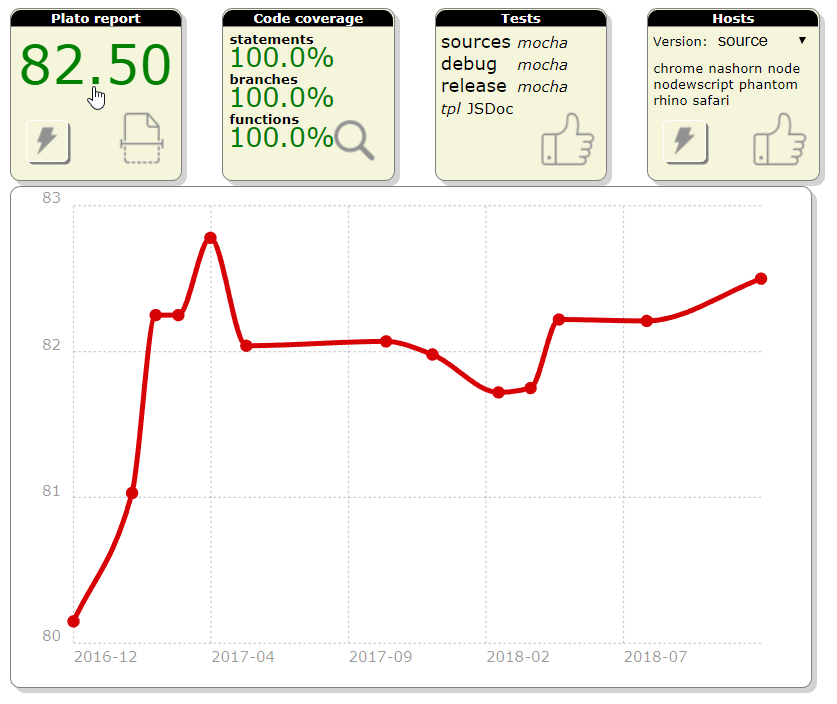
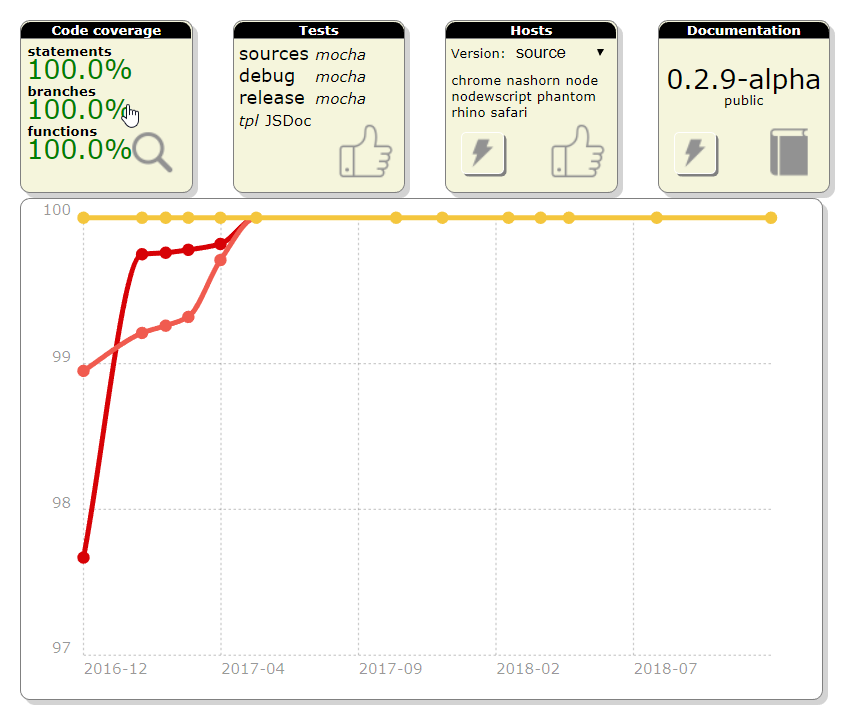
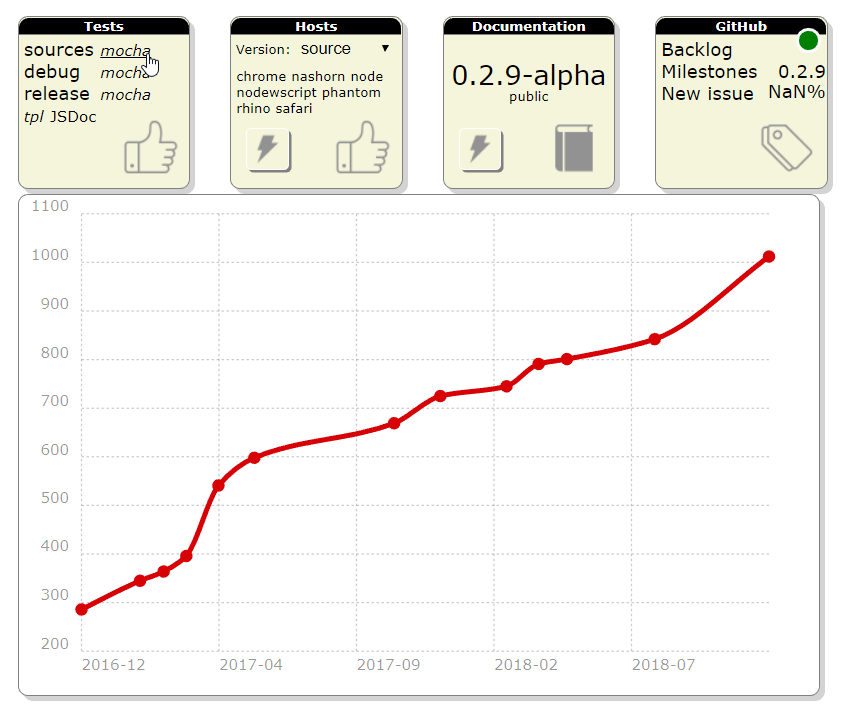
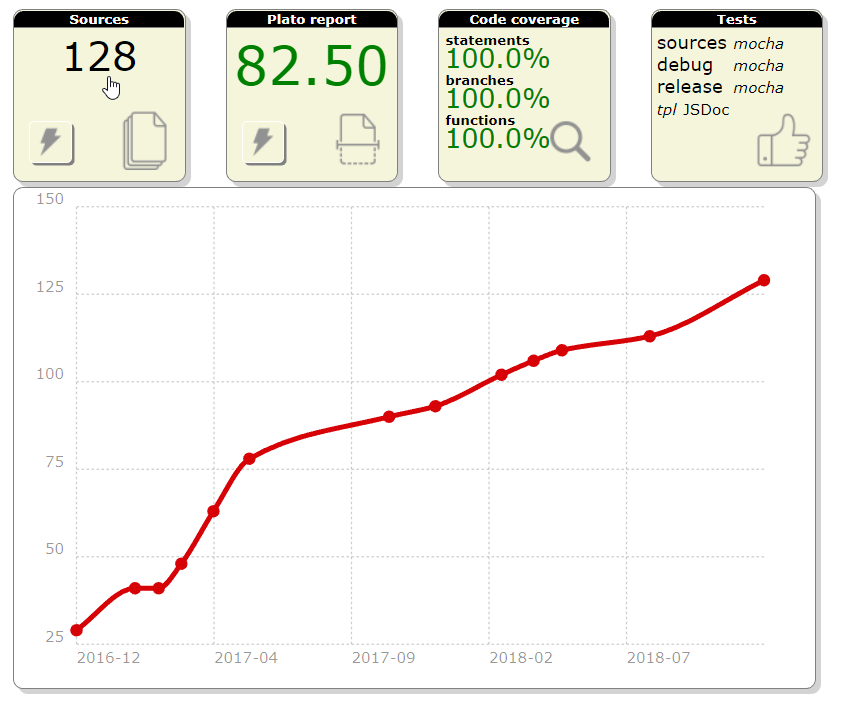
Using chartist.js, the dashboard tiles were modified to render a chart showing the progression of the metrics over the releases.

sources
sources

plato
plato

coverage
coverage

tests
tests

Documentation of ESLint rules

Automated documentation

Linting is used to statically validate the source code since the beginning of the project. The set of eslint rules has been refined over the releases and critical settings framed the way the sources look like.

Furthermore, the linter also evolves with time (and feedback) and some rules become obsolete as new ones are introduced.

In the end, it is really challenging to stay up-to-date and provide clear and complete explanations on the different rules that are configured (and why they are configured this way).

These are the problems that were addressed with the task #280.

As a result, a script leverages eslint's rules documentation to extract and validate the library settings. When needed, some details are provided.

The final result appears in the documentation in the Tutorials\Linting menu

no-magic-numbers

While documenting the rules, the no-magic-numbers one stood out.

I wanted to understand how this rule would (could?) improve the code. It was enabled to see how many magic numbers existed. Realizing that this generates a huge amount of errors, the check was turned off for test filesto start with).

Some people like to distinguish warnings and errors. However warnings do not call for action. As a result, they tend to last forever leading to the broken window effect. I prefer a binary approach meaning it is either OK or not OK.

It took almost one month of refactoring to remove them but, in the end, it did improve the code and lessons were learned.

This also demonstrated the value of having 100% of test coverage.

Lessons learned

Library + application

This may sound obvious but using the library as a support for an application gives immediate feedback on how the API is appropriate. It helps to keep the focus on how practical the methods are.

For instance, the helper gpf.serial.get was integrated in the library because its 10 little lines of code were repeated in the application.

Refactoring

It is not the first time that the whole library requires refactoring. And I actually like the exercise because it gives the opportunity to come back on old code that hasn't been touched in a while. Since the project started several years ago, my knowledge and skill have evolved and it gives a new look on the sources. Furthermore, the code being fully tested, there are very little risks.

When dealing with magic numbers, I realized that some patterns were obsolete because of JavaScript methods I was not used to. As the library offers a compatibility layer, it has been enriched with these new methods and the code modified consequently.

For instance: if (string.indexOf(otherString) === 0) is better replaced with: if (string.startsWith(otherString))

The same way: if (string.indexOf(otherString) !== -1) should be using: if (string.includes(otherString))

Last example, regular expressions are widely used with capturing groups. Their value is available in the array-like result through indexes. Using constants rather than numbers to get these values improves the code readability.

Next release

The next release content is not completely defined. There are plans to expand the use of attributes to ES6 classes and to integrate graaljs.

For the rest, it will depend on the side project since it needs all my attention.

Tuesday, August 7, 2018

Release 0.2.7: Quality and XML


This small release focuses on quality by integrating hosted automated code review services and introduces XML serialization.

Release 0.2.7: Quality and XML

Release content

A smaller release

As announced during the release of version 0.2.6, the month of June was busy developing a sample application to support the UICon'18 conference.

Unexpectedly, another interesting project emerged from this development but this will be detailed later on the blog.

In the end, the bandwidth was limited to work on this release.

XML Serialization

This version introduces the IXmlContentHandler interface as well as the gpf.xml.Writer class to enable XML writing.

If you are not familiar with the Simple API for XML, there are tons of existing implementation in different languages. The Java one is considered to be normative.

To put it in a nutshell, SAX proposes an interface to parse and generate XML.

The parsing part might be implemented later, only the generation one is required today.

Here is an example of an XML generation piped to a string buffer:

const writer = new gpf.xml.Writer(), output = new gpf.stream.WritableString(); gpf.stream.pipe(writer, output).then(() => { console.log(output.toString()); }); writer.startDocument() .then(() => writer.startElement("document")) .then(() => writer.startElement("a")) .then(() => writer.startElement("b")) .then(() => writer.endElement()) .then(() => writer.endElement()) .then(() => writer.startElement("c")) .then(() => writer.endElement()) .then(() => writer.endElement()) .then(() => writer.endDocument());

Which leads to the following output:

<document><a><b/></a><c/></document>

Representing the following structure:

document
|
+- a
|  |
|  +- b
|
+- c

Since all the methods returns a promise, the syntax is quite tedious. When writing the first tests, it quickly became clear that its complexity could be greatly reduced by augmenting the result promise with the interface methods.

As a result, a wrapper was designed to simplify the tests leading to this improved syntax:

const writer = new gpf.xml.Writer(), output = new gpf.stream.WritableString(); gpf.stream.pipe(writer, output).then(() => { console.log(output.toString()); }); wrap(writer).startDocument() .startElement("document") .startElement("a") .startElement("b") .endElement() .endElement() .startElement("c") .endElement() .endElement() .endDocument();

This will surely be standardized in a future version.

Improved gpf.require

Preloading

The goal of the library is to support application development. As explained in the article My own require implementation, splitting the code into modules enforces better code. However, at some point, all these modules must be consolidated to speed up the application loading.

This version offers the possibility to preload the sources by passing a dictionary mapping the resources path to their textual content. As a result, when the resource is required, it does not need to be loaded.

Here is the proposed bootstrap implementation:

gpf.http.get("preload.json") .then(function (response) { if (response.status === 200) { return JSON.parse(response.responseText); } return Promise.reject(); }) .then(function (preload) { gpf.require.configure({ preload: preload }); }) .catch(function (reason) { // Document and/or absorb errors }) .then(function () { gpf.require.define({ app: "app.js" // Might be preloaded }, function (require) { require.app.start(); }); });

Modern browsers

One of the challenges of building a feature-specific version of the library (a.k.a. flavor) is to test it with modern browsers only. The compatibility layer of the library takes a significant part of it and is useless if the flavor's target is NodeJS or any recent browser.

Worst, while building the release, the tests were failing when 'old' browsers were configured.

So, the concurrent task was modified to include a condition on modern browsers.

These are considered modern:

  • Chrome
  • Firefox
  • Safari (if on Mac)

Quality improvement

Abstract classes

Quality is also about providing tools to make sure that developers don't make mistake. Abstract classes concept is one of them. This version offers the possibility to create abstract classes by adding $abstract in their definition.

If one wants to deal with abstract methods, they can be defined with gpf.Error.abstractMethod. However, this won't prevent class instantiation.

Debugging with sources

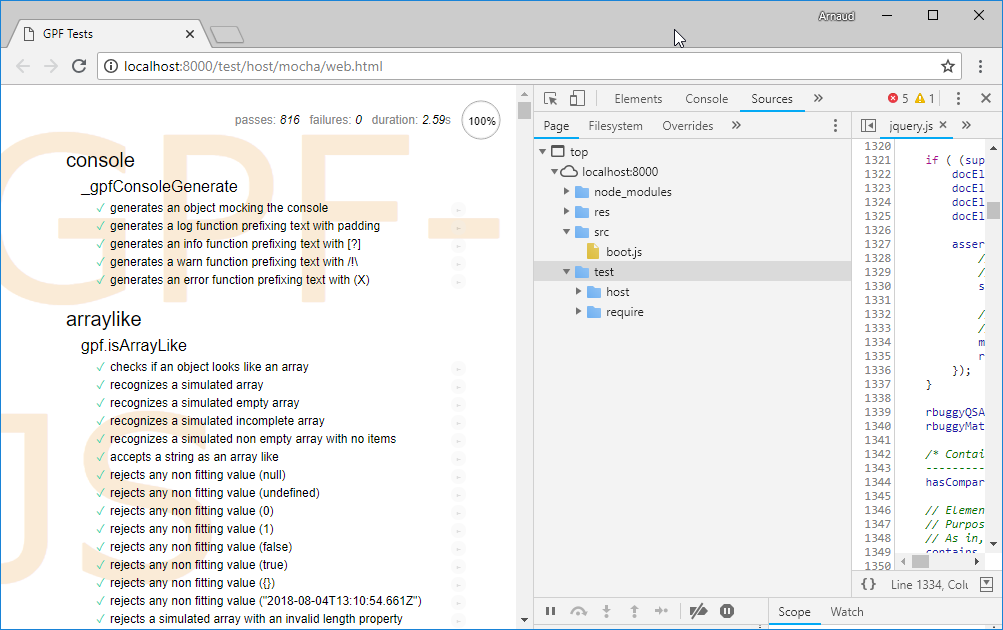
Debugging the library can be laborious. I am more familiar with Chrome development tools and I sometimes use them with NodeJS. Because the sources are loading through the evil-ish use of eval, they don't appear in the debugger sources tab.

No sources
No sources

To solve that problem, source maps were applied.

To put it in a nutshell:

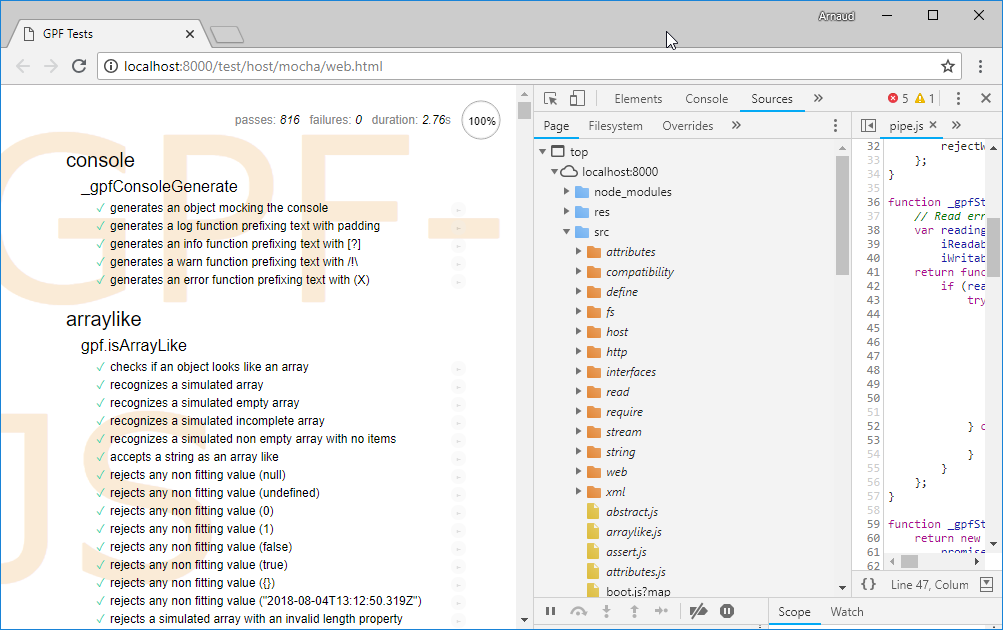
As a result, sources appear:

With sources
With sources

Hosted automated code review

GitHub is a huge source of information. While browsing some repositories, I discovered two code review services that integrates nicely.

They both focus on code quality (based on static checks) and propose exhaustive report on potential issues or code smells found in your code.

Today, only the src folder of the repository is submitted for review.

It revealed some interesting issues such as:

  • Code similarities, i.e. opportunity for code refactoring
  • Code complexities:

Some were already known and have been addressed in this version (in particular src/compatibility/promise.js where plato was giving a little 74.46).

The surprise came from a class definition with more than 20 methods as it was considered an issue (src/xml/writer.js). After having diligently improved the code, by isolating the XML validation helpers, one must admit that it makes things more readable !

Finally, these tools rank the overall quality with a score that can be inserted in the project readme.

Quality scores
Quality scores

Lessons learned

From a pure development prospective, a lot was done in a very limited time. Since the quality of the code is enforced by the usual best practices (TDD, static code validation) but also measured (with plato), modifications are safe and immediately validated.

A lot was learned on JavaScript source mappings since it was required to enable debugging in the browser.

The relevance of the problems raised by the Code Climate tool was quit surprising: the overall project quality benefited from this integration.

Next release

The next release content is not even defined. For the next months, I will focus on a side project that requires all my attention.

Friday, April 6, 2018

Release 0.2.5: Flavors

This release finalizes WScript simulation required for Travis, it improves the development environment and it introduces a mechanism to deliver smaller feature-centric versions of the library.

New version

Here comes the new version:

Release content

Finalized WScript simulation

In the previous release, Travis continuous integration platform was integrated. To assess that all hosts are working fine, WScript had to be simulated because not supported on Linux environments.

At that time, the result was not perfect and the coverage was reaching only 99% (including the documented exceptions).

To achieve 100%, the environment is now tweaked to disable standard objects and let the compatibility layer replace them with polyfills.

An unexpected test case

The simulation is based on the sync-request external library that implements synchronous HTTP requests in NodeJS. After enabling the JSON polyfills, the tests were failing... because of this library.

It revealed two problems:

  • The JSON emulation was incomplete
  • The compatibility tests were not covering all features of the JSON object

Universal Module Definition

After fixing the polyfills problems (see below), the final validation consisted in running the debug and release versions of the library inside the WScript simulator.

However, those versions are based on the concatenation of all sources with the Universal Module Loader.

This mechanism detects the current host and defines the gpf symbol accordingly.

When NodeJS is detected, which is the case here, the loader assigns the gpf namespace to module.exports to be the result of a require call.

But in WScript, the library is supposed to define the gpf symbol globally.

A workaround was implemented to simulate this behavior, it is done by leveraging the AMD syntax.

Improved JSON polyfill

The JSON.parse method accepts a reviver parameter that is used to transform parsed values before the final value is returned.

New tests were added and the missing part was implemented.

The same way, the JSON.stringify method accepts two additional parameters:

  • One, documented as replacer, that can be either a function to transform values before the stringification process or an array of string that serves as a whitelist of properties to be included in the final string.
  • A formatting parameter, documented as space, that is used to beautify the output of the method.

New tests were added and the missing parts were implemented.

Improved development environment

In this release, a significant effort was put in the development environment.

sources.json

The sources.json file is the spinal column of the library. It defines which sources are loaded and additional properties can be associated to them.

For instance, the "test" attribute defines when the associated test file (same name but under test instead of src) should be loaded. The default value being true, only the sources with no test file are flagged with false (for example).

The sources list was recently cleaned up for DeepScan. As a result, the remaining sources were all containing documentation to extract. Consequently, the "doc" attribute has been removed.

Also, a space separated list of tags was added, where:

  • core means the source is a core feature and it must always be loaded
  • host:hostname means the source is specific to the host hostname
  • any other tag is interpreted as a feature name (for instance: define, require, fs...)

This is used for the flavors development that will be detailed right after.

GitHub tile

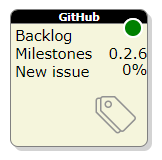
A new tile was added to the development dashboard.

The GitHub tile
The GitHub tile

It connects to the GitHub API to fetch the current release progress and links directly to it.

This was also the opportunity to redesign the whole dashboard. All the HTML is now generated and modules are organized thanks to the gpf.require.define feature.

Documentation validation

The only way to make sure that all links contained in the documentation are actually pointing to something is to try them. A new step in the build process was added to validate the documentation by checking all the links.

Here again, it was a nice opportunity to test the gpf.http feature.

Dependency viewer

The sources page was redesigned to visually show dependencies. It was done thanks to the awesome dependency wheel from Francois Zaninotto.

Simplified release

Last but not least, the library is now completely released through a single command line.

Flavors

The library starts to generate interest but people often complain about the fact that it handles too many hosts and, consequently, it's too big.

Furthermore, some internal mechanics generate troubles:

  • The use of ActiveXObject may generate security issues on Internet Explorer
  • require("js") produces extra work with webpack
  • ...

Hence, some time was invested to study the ability to build smaller - more dedicated - versions by having a way to specify which parts to consolidate in the library.

The idea is to rely on feature tags.

For instance, if one wants to use require on NodeJS only, the flavor would be "require host:nodejs". From there, an algorithm is capable of listing all the sources that must be included by:

  • filtering sources from tags
  • adding selected sources' dependencies

Mapping stream

This release delivers a mapping stream that completes the filtering stream introduced in the last version.

Here is a modified version of the previous release's sample that includes mapping:

// Reading a CSV file and keep only some records /*global Record*/ var csvFile = gpf.fs.getFileStorage() .openTextStream("file.csv", gpf.fs.openFor.reading), lineAdapter = new gpf.stream.LineAdapter(), csvParser = new gpf.stream.csv.Parser(), filter = new gpf.stream.Filter(function (record) { return record.FIELD === "expected value"; }), map = new gpf.stream.Map(function (record) { return new Record(record); }) output = new gpf.stream.WritableArray(); // csvFile -> lineAdapter -> csvParser -> filter -> map -> output gpf.stream.pipe(csvFile, lineAdapter, csvParser, filter, map, output) .then(function () { return output.toArray(); }) .then(function (records) { // process records });

See how you can easily swap the streams to refactor the code: let say that the Record class has a method named isObsolete which gives the filtering condition. You don't need to rely on the CSV literal object properties to reproduce the logic:

// Reading a CSV file and keep only some records /*global Record*/ var csvFile = gpf.fs.getFileStorage() .openTextStream("file.csv", gpf.fs.openFor.reading), lineAdapter = new gpf.stream.LineAdapter(), csvParser = new gpf.stream.csv.Parser(), filter = new gpf.stream.Filter(function (record) { return !record.isObsolete(); }), map = new gpf.stream.Map(function (record) { return new Record(record); }) output = new gpf.stream.WritableArray(); // csvFile -> lineAdapter -> csvParser -> map -> filter -> output gpf.stream.pipe(csvFile, lineAdapter, csvParser, map, filter, output) .then(function () { return output.toArray(); }) .then(function (records) { // process records });

Lessons learned

This release enabled a 'real' productive use of the library. And, naturally, several weaknesses were identified.

For instance, requests to HTTPS websites were not working with NodeJS.

The same way, the usability of the gpf.require.define feature has to be improved whenever something goes wrong.

If loading fails because the resource file does not exist or its evaluation generates an error, the resulting exception must help the developer to quickly find and fix the problem:

  • Which resource is concerned?
  • Through which intermediate resources it was loaded?
  • What is the problem?
  • Where is the problem (line number)?

Also, debugging loaded module might become a challenge since the evaluation model prevents the browser to map the file in the debugger.

But, in the end, this exercise validated the concepts: the tiles were quickly redesigned and common code put in modules that are shared by all of them:

Next release

The next release content will mostly focus on:

  • Taking care of improving gpf.define.require
  • Releasing a standalone version of the gpf.define.require feature
  • Offering Object Oriented concepts (abstract classes, singletons, final classes)
  • Documenting JSON compatibility